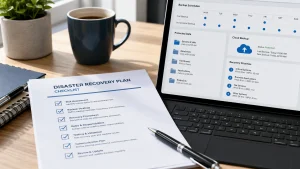
A disaster recovery plan helps your business restore data, systems, and operations after an outage, cyberattack, hardware failure, or unexpected disruption. For small businesses, the goal is simple: know what to recover, who is responsible, and how quickly your systems need to be back online.
Use the disaster recovery plan template below as a starting point for protecting your business. If you need a broader explanation first, read Adivi’s guide on what disaster recovery is.
Simple Disaster Recovery Plan Template
1. Business Information
Start with the basic details your team or IT provider will need during an emergency.
Include:
- Business name
- Main office location
- Remote work setup, if applicable
- Primary business contact
- Emergency contact details
- IT provider or support contact
- Key departments or team leads
This information should be easy to access even if your main systems are down. If your business relies on outside IT support, this section should also include your managed IT services contact.
2. Critical Systems and Data
List the systems, platforms, and data your business needs to operate. This helps your team understand what must be restored first.
Examples include:
- File storage
- Customer database
- Accounting software
- Website
- Phone system
- Cloud applications
- Servers
- Employee devices
- Payment or invoicing systems
Rank each system by importance. For example, email and customer data may need to be restored before less urgent tools. If your company depends heavily on hosted platforms, cloud apps, or remote access, review your cloud computing services setup as part of this process.
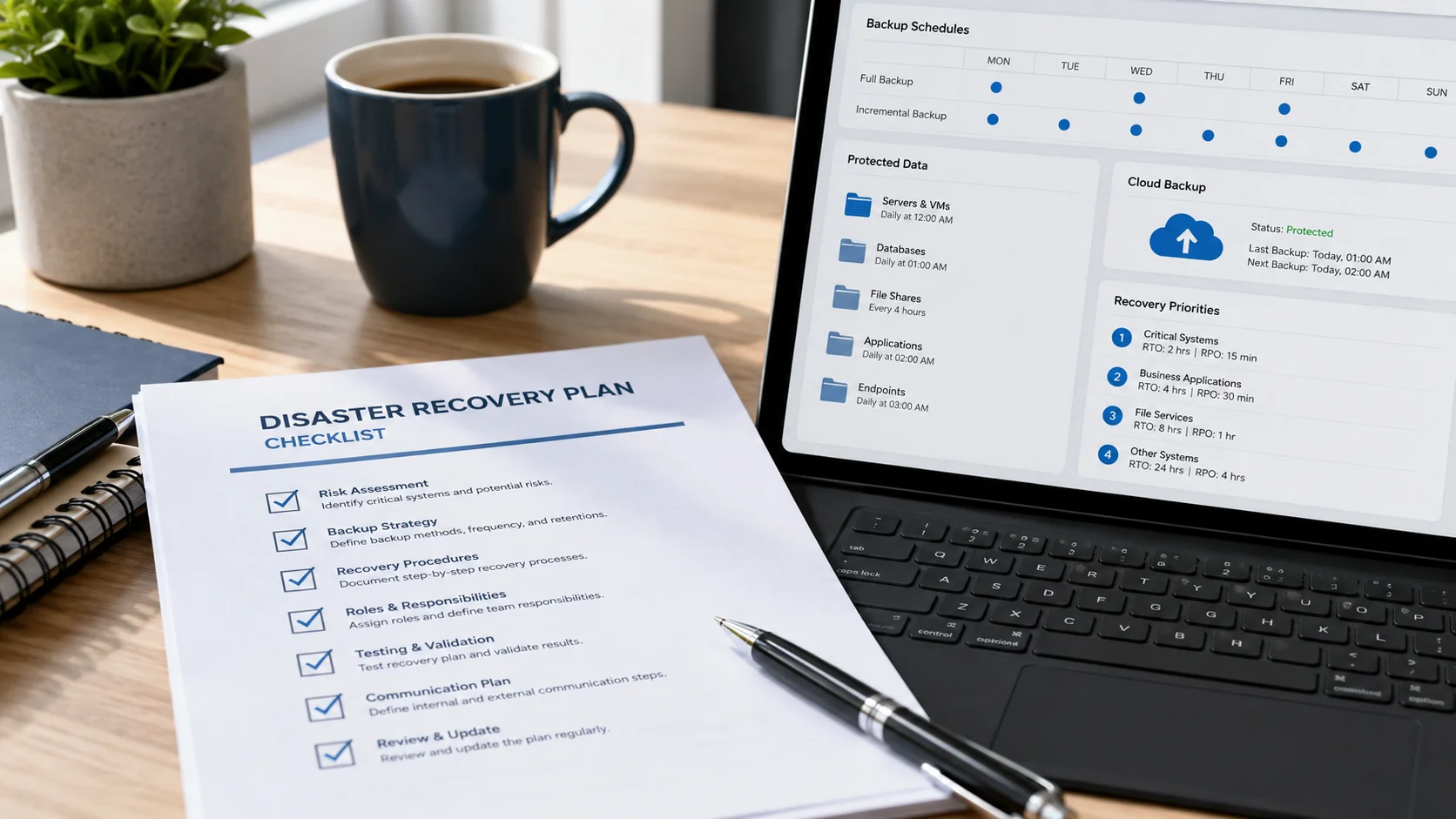
3. Backup Schedule
Your disaster recovery plan should clearly explain what gets backed up, how often backups happen, and where the backups are stored.
Include:
- Files and folders
- Servers
- Databases
- Email data
- Cloud application data
- Backup frequency
- Backup location
- Person or provider responsible
For many small businesses, daily backups are a good starting point. Businesses with high transaction volume, sensitive data, or strict compliance needs may need more frequent backups.
You can use Adivi’s backup planning guide to build this section in more detail. It may also help to review the different types of backup, including full, incremental, and differential backups.
4. Recovery Time Goals
Recovery time goals help your team understand how much downtime your business can handle.
For each critical system, define:
- How quickly it should be restored
- How much data loss is acceptable
- Which systems should be recovered first
- Who makes the final recovery decisions
For example, your customer database may need to be restored within a few hours, while a less critical internal tool may be able to wait until the next business day.
This is where RTO and RPO are useful. RTO refers to how quickly systems should be restored, while RPO refers to how much data your business can afford to lose. Adivi explains this further in its guide to RTO vs RPO in disaster recovery.
5. Disaster Response Steps
Your response steps should be simple enough for your team to follow during a stressful situation.
A basic disaster response process can look like this:
- Identify the issue.
- Confirm which systems or data are affected.
- Contact the internal decision-maker.
- Notify your IT provider or support team.
- Secure affected systems to prevent further damage.
- Begin recovery from verified backups.
- Communicate updates to employees, customers, or vendors.
- Review what happened after systems are restored.
The more clearly these steps are written, the easier it is to act quickly when something goes wrong.
If the disruption involves ransomware, malware, or unauthorized access, your disaster recovery plan should connect directly to your cybersecurity services process. You can also review Adivi’s guide on what a ransomware attack is so your team understands how this type of threat can affect business systems.
6. Employee Communication Plan
During an outage or data loss event, your team needs to know where to get updates and what to do next.
Your communication plan should include:
- Who sends internal updates
- Who communicates with customers, if needed
- Which channels will be used
- Backup communication channels if email is down
- How often updates should be sent
Possible communication channels include phone, SMS, messaging apps, personal email, or an emergency contact list.
If remote employees are part of your team, make sure your communication process still works when your normal systems are unavailable. Adivi’s article on IT support for remote teams and business help desk services can help you think through support needs for distributed teams.
7. Recovery Testing Schedule
Backups are only useful if they work when you need them. That is why testing should be part of every disaster recovery plan.
Include a schedule for:
- Monthly or quarterly backup checks
- Test file restores
- Full recovery tests
- Disaster recovery plan reviews
- Updates after software, staffing, or system changes
Testing helps confirm that your data can actually be restored and that your team knows what to do.
This is also a good time to check whether your backup data is protected properly. Adivi’s guide on ways to secure backup data covers useful safeguards that can support a stronger recovery plan.
What Should a Disaster Recovery Plan Include?

A small business disaster recovery plan should include critical systems, backup processes, emergency contacts, recovery steps, communication procedures, and a regular testing schedule.
At minimum, your plan should answer these questions:
- What data and systems are most important?
- Where are backups stored?
- Who is responsible for recovery?
- How quickly should systems be restored?
- How will employees and customers be updated?
- How often will the plan be tested?
The goal is not to create a complicated document. The goal is to make sure your business has a clear recovery process before downtime becomes expensive.
For a deeper look at the full recovery process, you can also read Adivi’s guide on what backup and disaster recovery is.
Why Small Businesses Need a Disaster Recovery Plan
Small businesses are often more vulnerable to downtime because they may not have large internal IT teams or advanced recovery systems in place.
A disaster recovery plan helps protect your business from:
- Ransomware attacks
- Accidental file deletion
- Hardware failure
- Power outages
- Cloud service issues
- Natural disasters
- Employee mistakes
- System crashes
Without a plan, recovery can be slow, stressful, and costly. With a plan, your team can respond faster and reduce the impact on your operations, customers, and revenue.
A strong recovery plan should also connect to your broader data backup and recovery strategies, especially if your business handles sensitive customer, financial, legal, or healthcare data.
How Often Should You Update Your Disaster Recovery Plan?
You should review your disaster recovery plan at least once a year. However, some changes should trigger an immediate update.
Update your plan when your business:
- Adds new software
- Changes cloud providers
- Moves to a new office
- Hires or replaces key employees
- Changes IT providers
- Adds new servers or devices
- Changes how data is stored
- Experiences a security incident or outage
A disaster recovery plan should stay current with your business. An outdated plan can create confusion when fast action is needed.
If your business recently moved more systems to the cloud, you may also want to compare cloud backup vs on-premise backup to make sure your recovery setup still matches your operations.
Common Disaster Recovery Planning Mistakes

Many small businesses have backups, but they do not always have a complete recovery plan.
Common mistakes include:
- Not testing backups regularly
- Only backing up local files
- Forgetting cloud application data
- Not assigning clear responsibilities
- Using outdated contact information
- Not documenting recovery steps
- Waiting until an emergency to create a plan
- Assuming cloud platforms automatically protect all data
The best disaster recovery plans are clear, tested, and easy to follow.
Need Help Building a Disaster Recovery Plan?
Adivi helps small businesses create reliable data backup and disaster recovery services that protect critical data and reduce downtime. From secure backups to recovery planning and ongoing monitoring, Adivi can help your business prepare before a disruption happens.
If your business needs a stronger backup and disaster recovery plan, schedule a free assessment with Adivi.
Key Takeaways
- A disaster recovery plan helps small businesses restore data, systems, and operations after an outage or cyberattack.
- Your plan should list critical systems, backup schedules, recovery steps, emergency contacts, and communication procedures.
- Backups should be tested regularly to make sure your data can actually be restored.
- Your most important systems should have clear recovery time goals.
- Disaster recovery plans should be reviewed at least once a year or whenever your systems, staff, or data storage changes.
- A simple, well-documented plan can help reduce downtime, protect customer trust, and keep your business running.
FAQs
What is a disaster recovery plan?
A disaster recovery plan is a written process that explains how a business will restore data, systems, and operations after an outage, cyberattack, or major disruption.
Do small businesses need a disaster recovery plan?
Yes. Small businesses need a disaster recovery plan because downtime, data loss, and cyberattacks can quickly affect operations, revenue, and customer trust.
What is the most important part of a disaster recovery plan?
The most important parts are reliable backups, clear recovery steps, assigned responsibilities, and regular testing.
How often should backups be tested?
Small businesses should test backups at least quarterly. Businesses with sensitive data or high operational risk may need to test backups more often.
What is the difference between backup and disaster recovery?
Backup is the process of copying data. Disaster recovery is the full plan for restoring systems, data, and operations after a disruption.