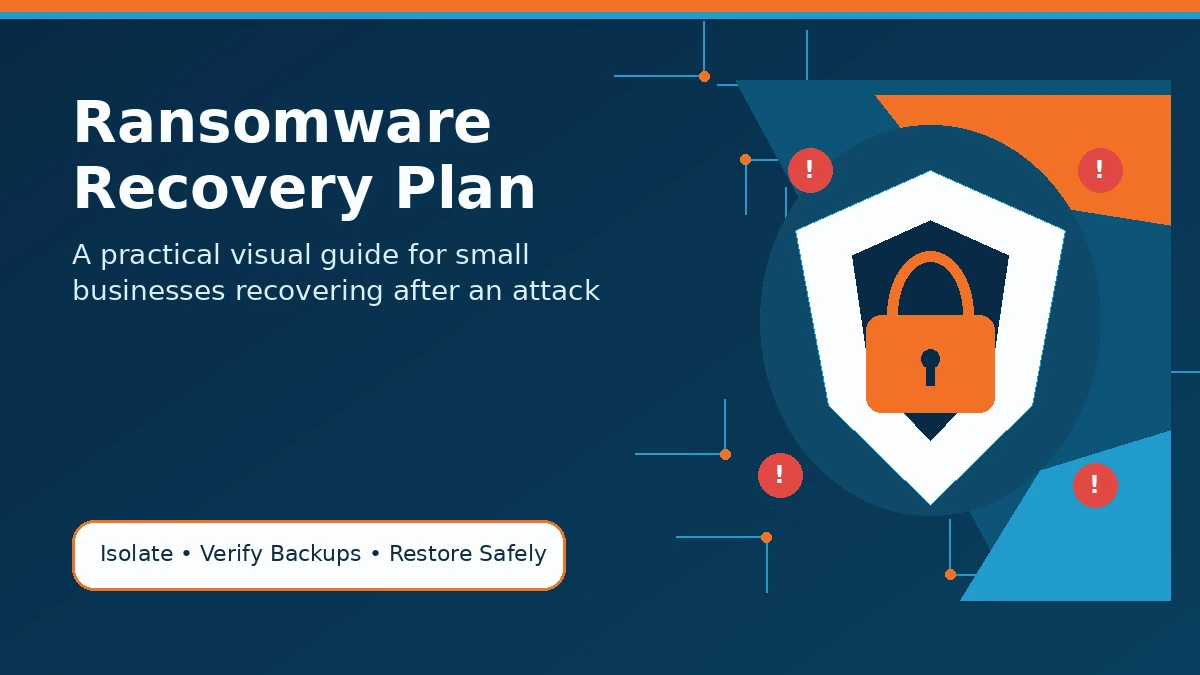
A ransomware recovery plan helps your business respond quickly after an attack, limit damage, restore clean data, and reduce downtime. If ransomware locks your files or systems, the most important steps are to isolate infected devices, contact your IT or cybersecurity provider, protect your backups, remove the threat, and restore your most critical systems first.
Use the ransomware recovery plan below as a practical checklist for your business. If you need a deeper explanation of how ransomware works, read Adivi’s guide on what a ransomware attack is.
Ransomware Recovery Plan Checklist
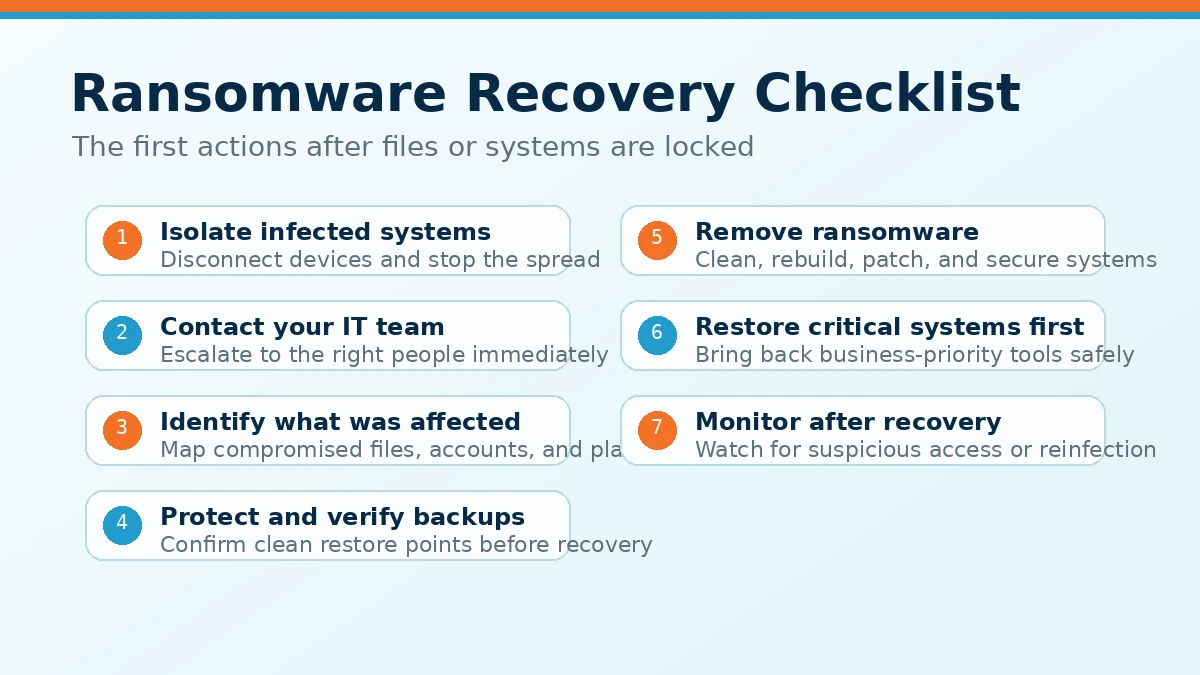
1. Isolate Infected Systems
The first step is to stop ransomware from spreading. Disconnect infected computers, servers, or devices from the network as soon as possible.
This may include:
- Disconnecting affected devices from Wi-Fi and ethernet
- Disabling compromised user accounts
- Removing shared drive access when needed
- Keeping infected devices separate from clean systems
- Avoiding reconnection until the device is confirmed safe
Do not rush into recovery before the ransomware is contained. If infected systems remain connected, the attack may spread to other devices, servers, or backup locations.
2. Contact Your IT or Cybersecurity Team
Once affected systems are isolated, contact the people responsible for response and recovery. A clear escalation process can save time during a stressful situation.
Your contact list should include:
- Internal decision-maker
- IT provider
- Cybersecurity provider
- Legal or compliance contact
- Cyber insurance provider, if applicable
- Key department heads
If your business does not have internal security staff, working with a cybersecurity provider can help you investigate the attack, contain the threat, and reduce the risk of further damage.
3. Identify What Was Affected
Before restoring systems, your team needs to understand the scope of the attack. This helps prevent reinfection and makes recovery more organized.
Check for:
- Infected computers or servers
- Locked or encrypted files
- Compromised user accounts
- Affected email systems
- Impacted cloud platforms
- Suspicious login activity
- Backup systems that may have been touched
- Signs of possible data theft
This step also helps your team decide which systems need to be restored first. For broader security context, Adivi’s guide on 10 common types of cyber attacks can help small businesses understand how ransomware fits into the larger threat landscape.
4. Protect and Verify Backups
Backups are one of the most important parts of ransomware recovery, but they must be checked before they are used.
Your team should:
- Confirm backups were not encrypted
- Avoid overwriting older backup copies
- Check the date of the latest clean backup
- Verify that backup files can be restored
- Protect offline or cloud backups from further access
- Use a clean restore point from before the attack
If your backup system is not secure, ransomware may encrypt or delete backup files too. Adivi’s guide on ways to secure backup data explains safeguards such as access control, encryption, and offline backups.
For businesses that need stronger backup protection, Adivi’s data backup and disaster recovery services can help protect critical files and support faster recovery after an attack.
5. Remove the Ransomware Before Restoring Data
Restoring files before removing ransomware can lead to another infection. Your systems should be cleaned, rebuilt, or secured before recovery begins.
This may include:
- Scanning affected systems
- Removing malware
- Rebuilding compromised devices
- Resetting affected passwords
- Applying missing security patches
- Closing exploited vulnerabilities
- Checking admin accounts and remote access tools
If your team is unsure whether a device is clean, it may be safer to rebuild it instead of trying to repair it. Adivi’s article on how to prevent malware can also help your team understand the security habits that reduce future risk.
6. Restore Critical Systems First
Recovery should follow business priority. Do not restore everything at once without a plan.
A practical recovery order may look like this:
- Identity and access systems
- Email and communication tools
- File storage
- Customer database
- Accounting or payment systems
- Business applications
- Employee devices
Your recovery order should reflect how your business operates. For example, a law firm may prioritize case files and client communication, while a healthcare business may prioritize patient records and scheduling systems.
This is where recovery time objective and recovery point objective matter. RTO defines how quickly a system should be restored, while RPO defines how much data your business can afford to lose. Adivi explains this further in its guide to RTO vs RPO in disaster recovery.
7. Monitor Systems After Recovery
Recovery does not end when files are restored. Your team should continue monitoring systems to make sure the attacker has not returned.
Watch for:
- Failed login attempts
- Unknown user accounts
- Unusual file changes
- Unexpected admin activity
- New malware alerts
- Strange network traffic
- Disabled security tools
Post-recovery monitoring helps confirm that your business is truly back online safely. It also gives your team a chance to improve systems before another incident happens.
What Should a Ransomware Recovery Plan Include?
A ransomware recovery plan should include the people, systems, steps, and tools your business needs to respond to an attack.
At minimum, your plan should include:
- Emergency contact list
- Incident response steps
- Critical system inventory
- Backup locations
- Recovery priorities
- Communication plan
- Cyber insurance details
- Legal or compliance contacts
- Backup testing schedule
- Post-incident review process
The goal is to make recovery easier before an attack happens. A simple written plan is better than trying to make decisions during a crisis.
If your business also needs a broader continuity strategy, Adivi’s guide on what backup and disaster recovery is can help explain how backup, recovery, and business continuity work together.
Should You Pay the Ransom?
Paying the ransom does not guarantee that your files will be restored. It also does not guarantee that stolen data will be deleted or that attackers will not come back later.
Before making any decision, businesses should speak with cybersecurity professionals, legal counsel, and their cyber insurance provider. In many cases, clean backups and a strong recovery process may help the business restore operations without depending on the attacker.
The better approach is to prepare before an attack happens. That means securing systems, testing backups, and creating a ransomware recovery plan your team can actually follow.
How Backups Help With Ransomware Recovery
Backups can help your business recover faster after ransomware, but only if they are clean, secure, and tested.
A strong backup strategy may include:
- Cloud backups
- Offline backups
- Immutable backups
- Regular backup testing
- Separate backup access controls
- Clear recovery time goals
- Clear recovery point goals
Different backup types serve different purposes. Adivi’s guide on types of backup explains full, incremental, and differential backups, while the article on backups vs snapshots explains why snapshots should not fully replace backups.
You may also want to review Adivi’s backup planning guide to make sure your business has a complete backup process before a ransomware incident happens.
How to Prevent Ransomware From Happening Again
After recovery, your business should review what happened and strengthen weak areas. Ransomware recovery should always lead to better prevention.
Focus on:
- Multi-factor authentication
- Employee security training
- Endpoint protection
- Patch management
- Email security
- Least privilege access
- Secure remote access
- Network monitoring
- Backup testing
- Strong password policies
These steps help reduce the chance of another attack. For a broader security improvement plan, read Adivi’s guide on cybersecurity best practices for business.
If your business needs ongoing IT support, Adivi’s managed IT services can help with system maintenance, monitoring, patching, and support. For businesses that need stronger security planning, Adivi’s cybersecurity services can help protect systems before attackers get in.
Need Help Building a Ransomware Recovery Plan?
Adivi helps small businesses strengthen cybersecurity, protect critical backups, and build reliable recovery plans. If your business is worried about ransomware, the best time to prepare is before systems are locked, files are encrypted, or operations are interrupted.
With Adivi’s data backup and disaster recovery services, your business can create a stronger plan for secure backups, rapid recovery, and long-term data protection.
Schedule a free assessment with Adivi to prepare your business for ransomware recovery before an attack happens.
FAQs
What is a ransomware recovery plan?
A ransomware recovery plan is a step-by-step process for isolating infected systems, removing ransomware, restoring clean data, and bringing business operations back online.
What is the first step after a ransomware attack?
The first step is to isolate affected systems from the network so the ransomware cannot spread to other devices, servers, or backups.
Can backups recover files after ransomware?
Yes, clean and tested backups can help restore files after ransomware. However, backups must be checked first to make sure they were not encrypted or compromised.
Should a small business pay the ransom?
Paying the ransom does not guarantee recovery. Businesses should speak with cybersecurity professionals, legal counsel, and their cyber insurance provider before making a decision.
How can small businesses prevent ransomware attacks?
Small businesses can reduce ransomware risk with multi-factor authentication, employee training, endpoint protection, patch management, email security, secure remote access, and tested backups.