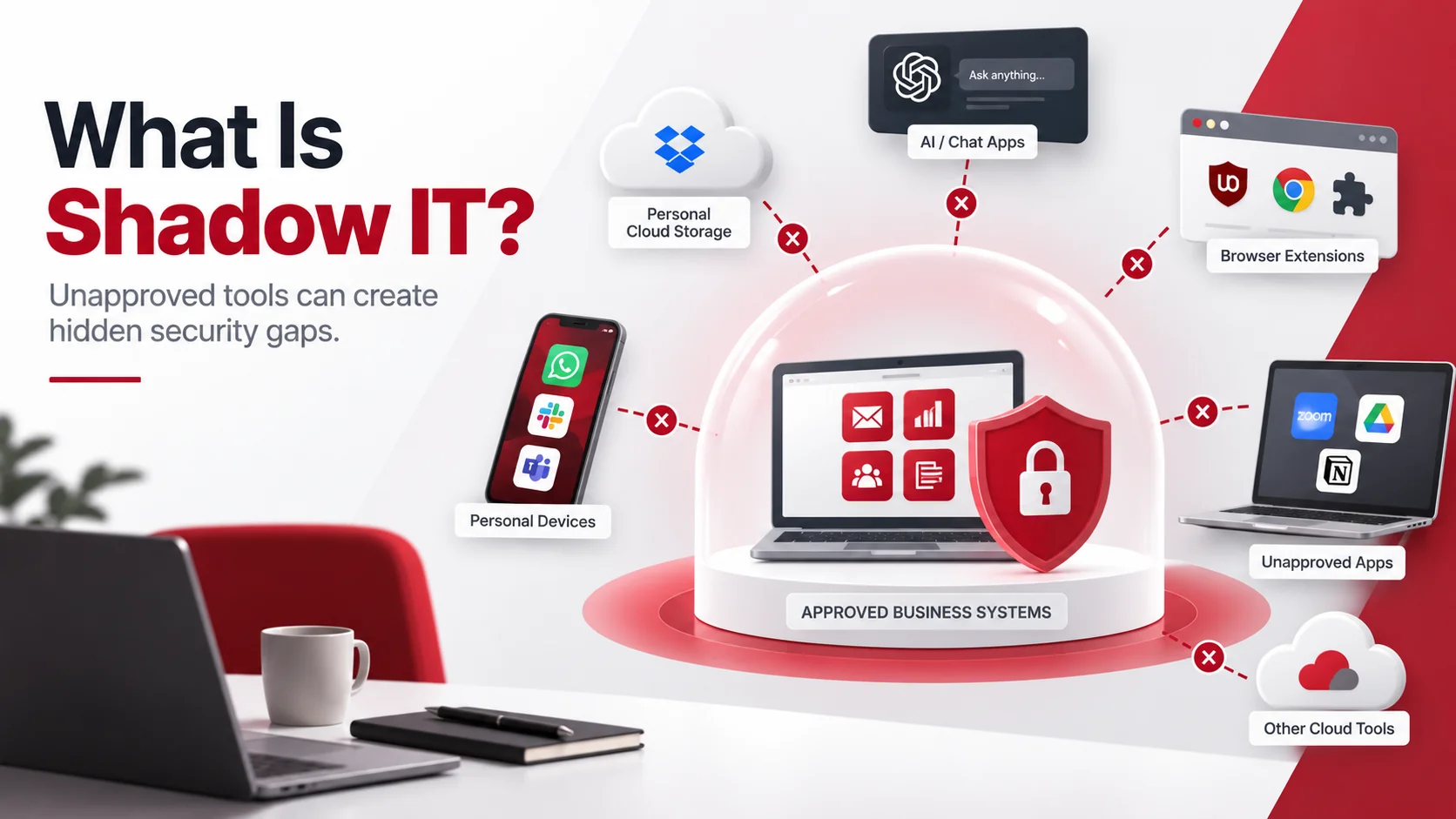
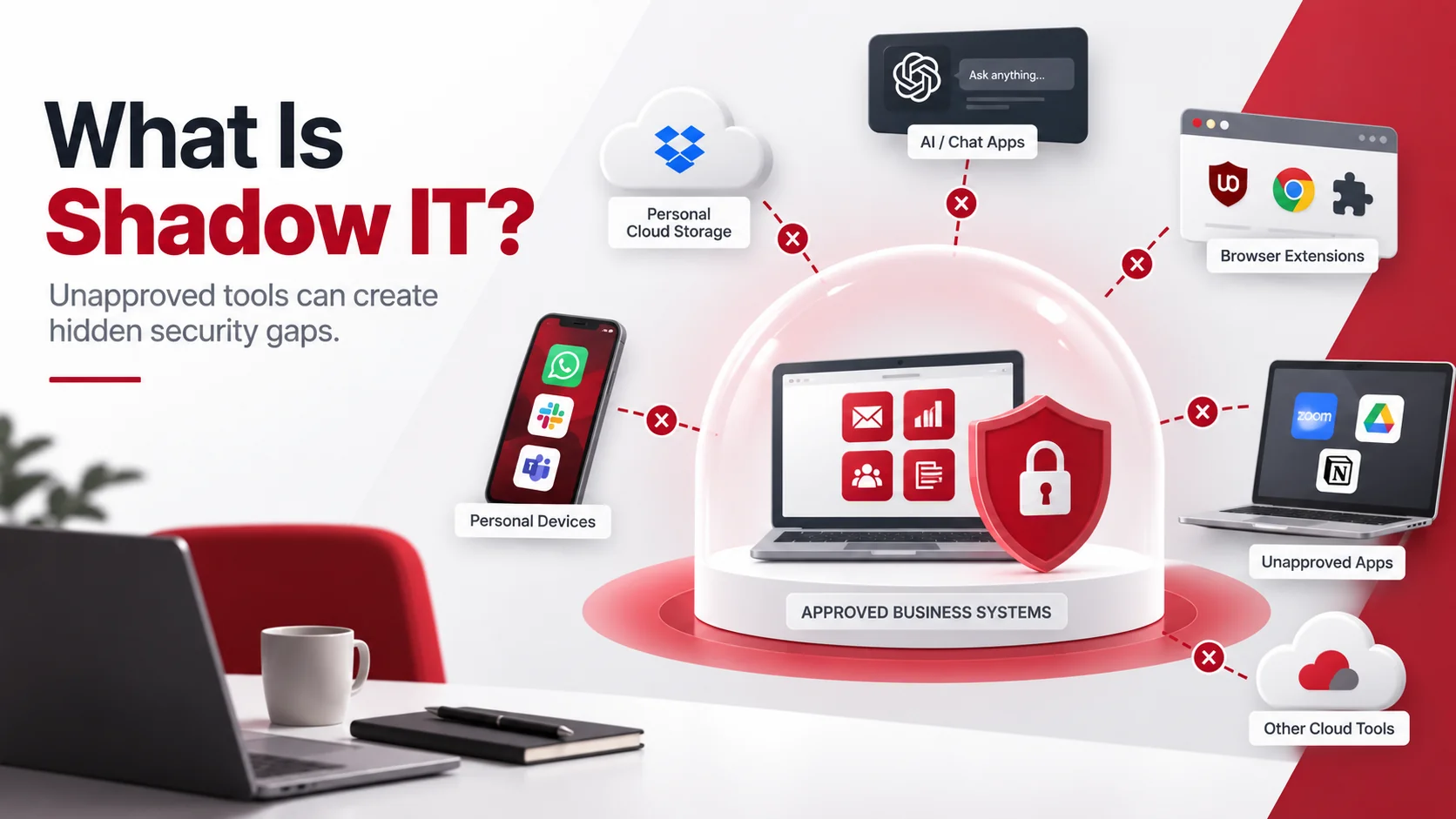
Shadow IT refers to the use of software, applications, devices, or cloud services by employees without approval or oversight from the company’s IT team. For small businesses, these hidden tools can create security vulnerabilities, increase compliance risks, and make it harder for IT teams to protect company data. While employees often use these tools to improve productivity, they can create security gaps when businesses lack visibility into what systems are being used or what data is being shared.
For small businesses, shadow IT can be difficult to control because teams often rely on many digital tools to complete daily tasks. The goal is not to stop employees from working efficiently, but to make sure the technology they use is secure, approved, and properly managed.
Key Takeaways
- Shadow IT happens when employees use unapproved apps, devices, or cloud services for work.
- Unauthorized tools can create risks such as data exposure, weak security controls, and compliance issues.
- Businesses can reduce shadow IT by improving visibility, creating clear policies, and providing approved alternatives.
- Managed IT services can help businesses monitor technology usage and strengthen security controls.
Why Employees Use Unauthorized Tools
Shadow IT usually does not happen because employees want to create security problems. In many cases, employees turn to unauthorized tools because they need a faster or easier way to complete their work.
Common reasons include:
- Existing company tools are difficult to use
- Employees need features that current software does not provide
- Free applications are easy to access
- Remote workers use personal tools for convenience
- Employees are unaware of security risks
Instead of simply blocking these tools, businesses should understand why employees use them and provide secure alternatives that support productivity.
Common Examples of Shadow IT
Shadow IT can appear in many forms, especially as businesses adopt more cloud-based applications.
Personal Cloud Storage Accounts
Employees may use personal Google Drive, Dropbox, or other storage accounts to quickly share files or access documents outside the office.
The problem is that these files may no longer be protected by company security controls. IT teams may not be able to monitor access, enforce policies, or recover data if the account is compromised.
Unapproved AI Applications
The growing use of AI tools has created new shadow IT risks. Employees may upload business information into public AI platforms without understanding how the data is handled.
This can expose:
- Internal documents
- Customer information
- Business strategies
- Confidential files
Businesses should create clear guidelines for AI usage and identify which tools are approved for company work.
Personal Software and Applications
Employees may install their own productivity tools, messaging apps, browser extensions, or project management platforms to complete tasks.
Without proper review, these applications may have unknown security risks, excessive permissions, or weak privacy controls.
Personal Devices Used for Work
Employees working remotely may use personal laptops, phones, or tablets to access company information.
Without proper security management, these devices may lack:
- Security updates
- Encryption
- Access controls
- Remote management
- Device monitoring
Businesses with remote teams can use mobile device management solutions to better protect company data across employee devices.
Security Risks of Shadow IT
Shadow IT creates risks because businesses cannot protect systems they cannot see. When unauthorized applications and devices are outside IT oversight, security teams may not know where sensitive information is stored or who can access it.
Increased Risk of Data Exposure
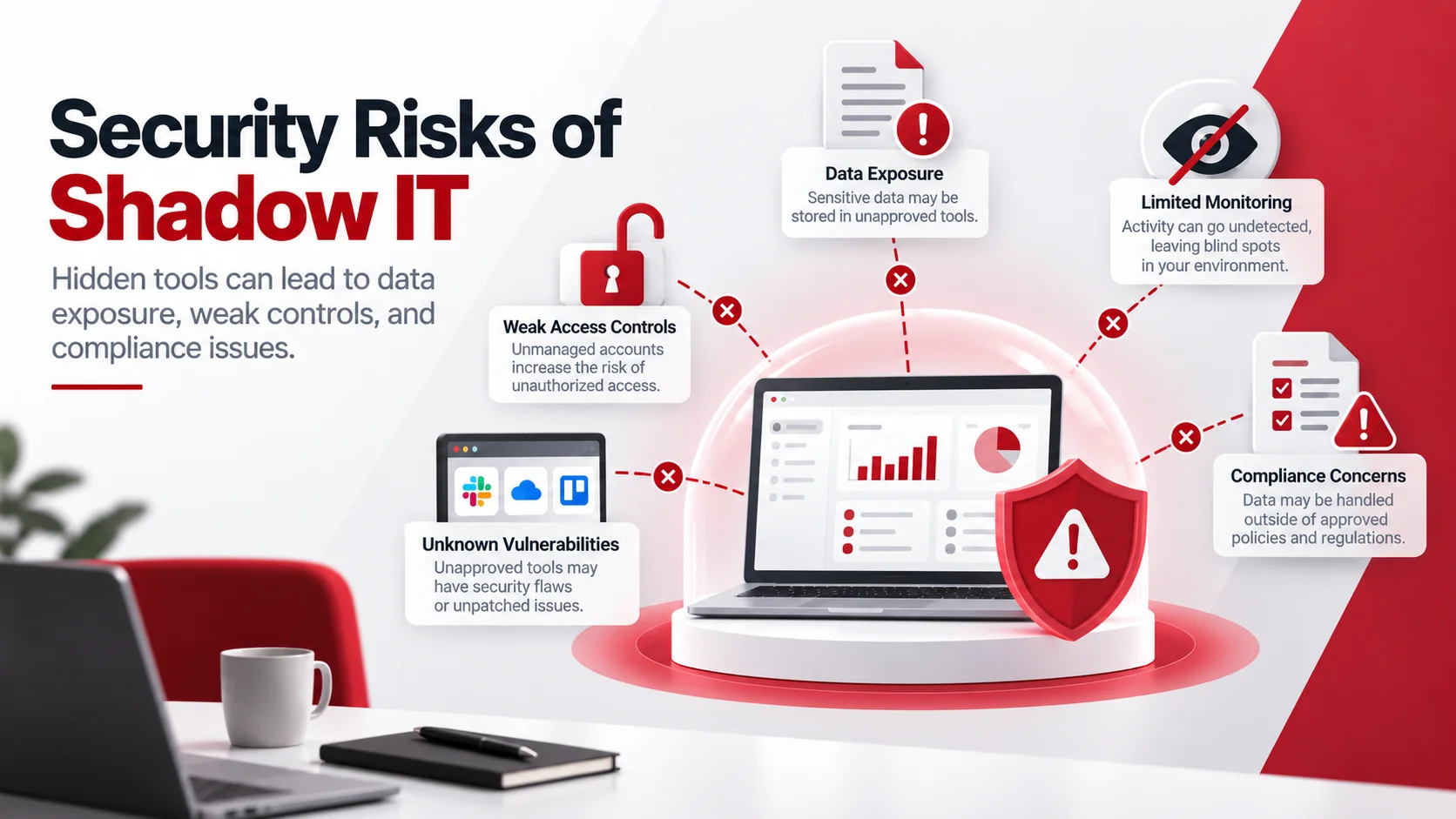
Unauthorized tools may store company information outside approved systems. This creates a higher chance of accidental sharing, unauthorized access, or data loss.
Sensitive information at risk may include:
- Customer records
- Financial documents
- Employee information
- Internal business files
Following data protection best practices can help businesses understand where sensitive data exists and how it should be protected.
Limited Security Monitoring
Approved business tools can usually be monitored, updated, and secured. Shadow IT applications often operate without these protections.
This can lead to:
- Unknown vulnerabilities
- Missing security updates
- Limited threat detection
- No activity monitoring
If IT teams cannot see what tools are being used, they cannot properly manage security risks.
Weak Access Controls
Many unauthorized applications may not have important security features such as:
- Multi-factor authentication
- Role-based access controls
- User activity tracking
- Permission management
This increases the risk of unauthorized users gaining access to business information.
Compliance and Privacy Concerns
Businesses that handle customer, financial, employee, or regulated information may face additional risks when data is stored in unapproved platforms.
Using unauthorized tools can make it harder to answer important questions:
- Where is the data stored?
- Who has access?
- Is the information protected?
- Can the business remove the data if needed?
How to Identify Shadow IT
The first step to reducing shadow IT is understanding what tools employees are already using.
Review Applications and Software Usage
Businesses should review:
- Installed applications
- Cloud accounts
- Browser extensions
- Third-party integrations
- Connected applications
This helps identify tools that may not have gone through an approval process.
Monitor Cloud Activity
Cloud platforms can provide visibility into how information is being shared.
Review:
- External file sharing
- New applications connected to company accounts
- Unusual data transfers
- Unknown user activity
For businesses using multiple cloud platforms, cloud computing services can help improve cloud visibility, access management, and security.
Ask Employees About Their Workflows
Employees are often the best source of information about hidden tools.
Ask questions such as:
- What applications do you use daily?
- Are there tools that help you work faster?
- Are there tasks that current company software does not support?
This approach helps businesses identify gaps while encouraging employees to follow safer processes.
How to Reduce Shadow IT Risks
Create Clear Technology Policies
Employees need clear guidelines about which tools they can use for business work.
Policies should explain:
- Approved applications
- Software installation rules
- Cloud storage requirements
- AI tool usage
- Personal device rules
Clear policies reduce confusion and help employees make safer decisions.
Provide Secure Alternatives
Employees are more likely to use approved tools when those tools meet their needs.
Businesses should provide reliable alternatives for:
- File sharing
- Communication
- Project management
- Cloud storage
- AI assistance
- Remote access
The goal is to balance productivity with security.
Improve Employee Security Awareness
Employees should understand how technology choices affect business security.
Training should cover:
- Safe application usage
- Data handling practices
- Cloud security risks
- Phishing awareness
- Reporting unknown tools
Security awareness helps employees become part of the solution instead of creating unnecessary risks.
Strengthen Access Controls
Businesses should use security controls that limit unnecessary access and protect accounts.
Important measures include:
- Multi-factor authentication
- User permissions
- Device management
- Application monitoring
- Regular access reviews
For stronger protection, cybersecurity services and solutions can help businesses improve monitoring, security policies, and threat prevention.
Shadow IT and Cloud Security
Cloud technology makes it easier than ever for employees to create accounts, share files, and adopt new applications. While this improves flexibility, it can also increase shadow IT risks.
Businesses should regularly review:
- Cloud applications being used
- External file sharing settings
- User permissions
- Connected third-party applications
- Data storage locations
A secure cloud environment requires visibility, proper access controls, and consistent monitoring.
How Managed IT Services Can Help Control Shadow IT
Small businesses may not have the resources to monitor every application, device, and cloud service employees use. A managed IT provider can help identify risks and create better technology processes.
Managed IT support can help with:
- Technology audits
- Application monitoring
- Cloud management
- Access reviews
- Security policies
- Employee guidance
- Cybersecurity monitoring
By improving visibility and control, businesses can reduce shadow IT without limiting productivity.
Common Shadow IT Mistakes to Avoid
Businesses often create more risk by ignoring unauthorized technology use instead of addressing the reason behind it.
Common mistakes include:
- Blocking tools without providing alternatives
- Allowing employees to use personal accounts for business files
- Ignoring unauthorized applications
- Failing to review cloud access
- Not creating technology usage policies
A balanced approach helps businesses maintain both security and employee efficiency.
Final Thoughts
Shadow IT is not always caused by employees ignoring security rules. Often, it happens because employees need better tools or faster ways to complete their work.
Small businesses can reduce shadow IT risks by improving visibility, creating clear policies, providing secure alternatives, and using proper security controls. With the right approach, businesses can support productivity while keeping sensitive information protected.
FAQs About Shadow IT
What is shadow IT?
Shadow IT is the use of software, applications, devices, or cloud services for work without approval or oversight from the company’s IT team.
Why is shadow IT dangerous for small businesses?
Shadow IT can create security gaps because businesses may not know where data is stored, who can access it, or whether applications are properly protected.
Is shadow IT always bad?
Not necessarily. Employees often use unauthorized tools to improve productivity. The risk comes from using tools without security review or proper controls.
How can businesses prevent shadow IT?
Businesses can reduce shadow IT by creating clear technology policies, providing approved tools, monitoring applications, and improving employee security awareness.
How can managed IT services help with shadow IT?
Managed IT services can help identify unauthorized tools, improve technology visibility, manage cloud environments, strengthen security controls, and create safer technology processes.